Managing Vertex AI Agent Engine Endpoints with GitHub Actions
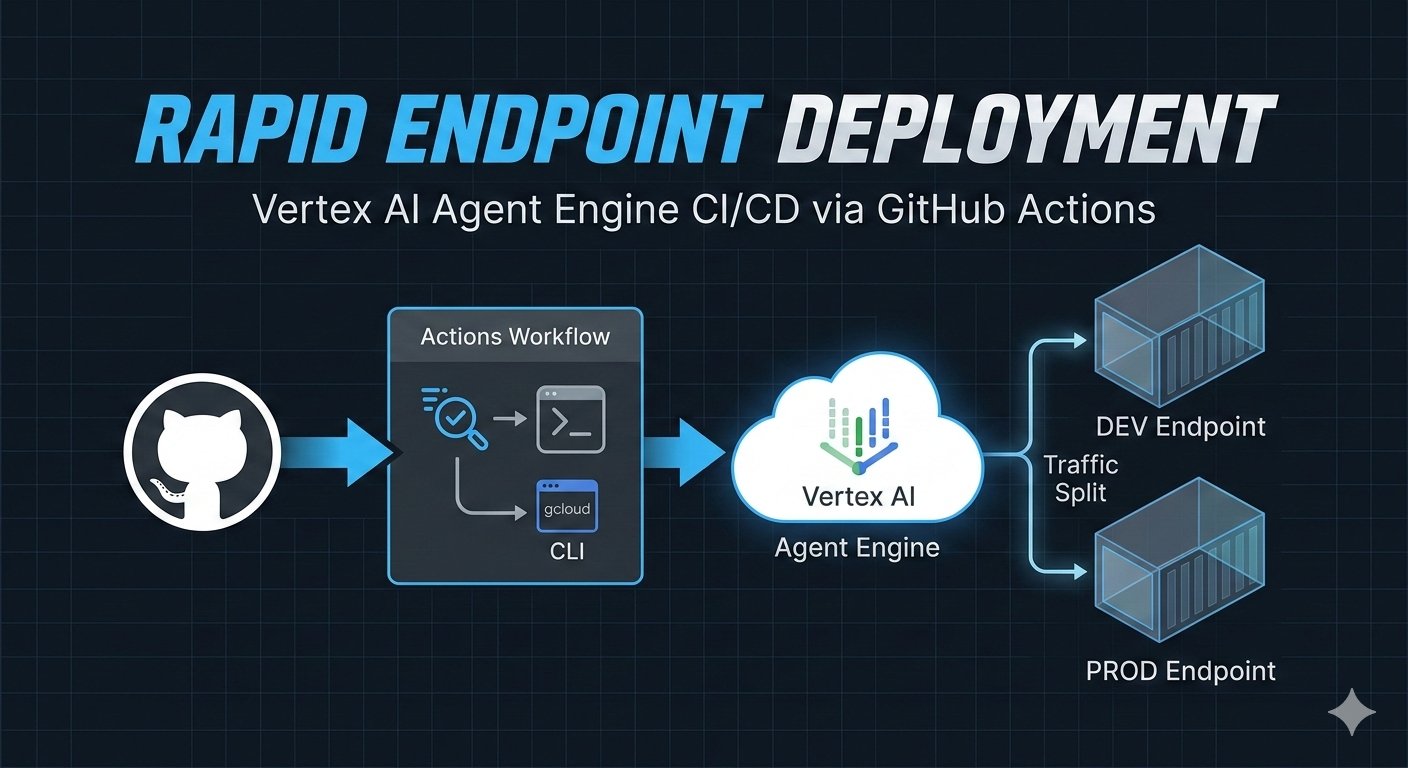
Getting your agents from a local development environment into a live, scalable endpoint in Google Cloud should be a transparent process. To help with this, I’ve put together a sample repository at https://github.com/joeshirey/AgentEngineCICD. This repo provides a functional blueprint for standing up a CI/CD pipeline using a pure GitHub Actions approach. You can see the exact gcloud commands being executed, providing a transparent view of the deployment that increases developer velocity and makes troubleshooting straightforward.
Setting up Auth via Workload Identity Federation (WIF)
Security is the baseline for any pipeline. This implementation avoids the use of long-lived, high-risk JSON service account keys by using Workload Identity Federation (WIF).
WIF allows GitHub Actions to act as a federated identity, exchanging a GitHub OIDC token for a short-lived Google Cloud access token. This ensures that credentials are never stored in your repository and expire automatically after each job.
The configuration for setting up the Google Cloud Workload Identity Pool and Provider is detailed in the repository documentation:
Managing Environments and Branch Conventions
The https://github.com/joeshirey/AgentEngineCICD sample uses a branch-based naming convention to automate endpoint management. While this is a sample meant to be modified for your specific use case, it demonstrates how to tie cloud resources directly to your Git workflow.
Using GitHub Environments
This repo leverages GitHub Environments to provide clear separation between DEV and PROD configurations. By using environments, you can manage unique secrets, variables, and protection rules (like manual approvals) for each stage of your pipeline. In this sample, the DEV and PROD environments ensure that deployments are routed to the correct Google Cloud projects and use the appropriate service accounts for that specific context.
The Production Mapping
In this example, the main branch is treated as the source of truth for your stable environment. Whenever a push or PR merge occurs on main, the pipeline targets the PROD environment and an endpoint explicitly named Production.
Dynamic Dev Endpoints
To support rapid experimentation and isolated feature testing, the action uses a prefix-based convention for development:
- Branch Prefix: Any branch created with the
dev/prefix (example:dev/new-prompt-logic) triggers the DEV environment workflow. - Endpoint Naming: The pipeline automatically creates or updates a Vertex AI endpoint using the branch name as the resource name. This ensures multiple developers can test different versions of an agent simultaneously without collision in the development environment.
- Development Deployment Workflow
Managing the Endpoint Lifecycle
The core of the repository is the logic that manages the state of these endpoints. We use the gcloud CLI directly within the action to handle the three primary phases of the resource lifecycle:
1. Creation
The pipeline first checks if an endpoint corresponding to the branch name or Production already exists in your GCP project. If it doesn’t, the action executes the creation command. This ensures that new features or environments are provisioned automatically the first time they are pushed to GitHub.
2. Update
Deployment is an iterative process. The Update logic handles the deployment of new agent versions to existing endpoints. By automating the update process, the pipeline ensures that your latest prompt engineering and tool definitions are synchronized with the live endpoint without needing to manually tear down and recreate the underlying infrastructure.
3. Delete
Effective resource management includes decommissioning. The repository includes a Delete workflow that can be triggered manually or automated to run upon the deletion of a branch. This is especially useful for cleaning up experimental dev endpoints once a feature is merged, preventing project clutter and unnecessary cloud spend.
Customization and Next Steps
The patterns in the https://github.com/joeshirey/AgentEngineCICD repository are designed to be a starting point. Because it is built on raw gcloud commands and GitHub Actions, you can easily customize the naming logic. For example, you could map different branch prefixes to different GCP projects or add manual approval gates before a production push.
If your requirements grow to include full-scale Infrastructure as Code (Terraform), automated unit testing, or standardized enterprise governance, I recommend reviewing the Agent Engine Starter Pack. It offers a more expansive, opinionated approach for those needing a pre-packaged framework that leverages IaC.
For teams that need a fast, transparent, and direct path to managing Vertex AI Agent Engine endpoints, this repository provides the blueprints to build a pipeline that fits your specific brand of development.
Note: Thank you to Anjum Sayed for the partnership and collaboration in the development of this approach and example.