From Coding Agent to Chief of Staff
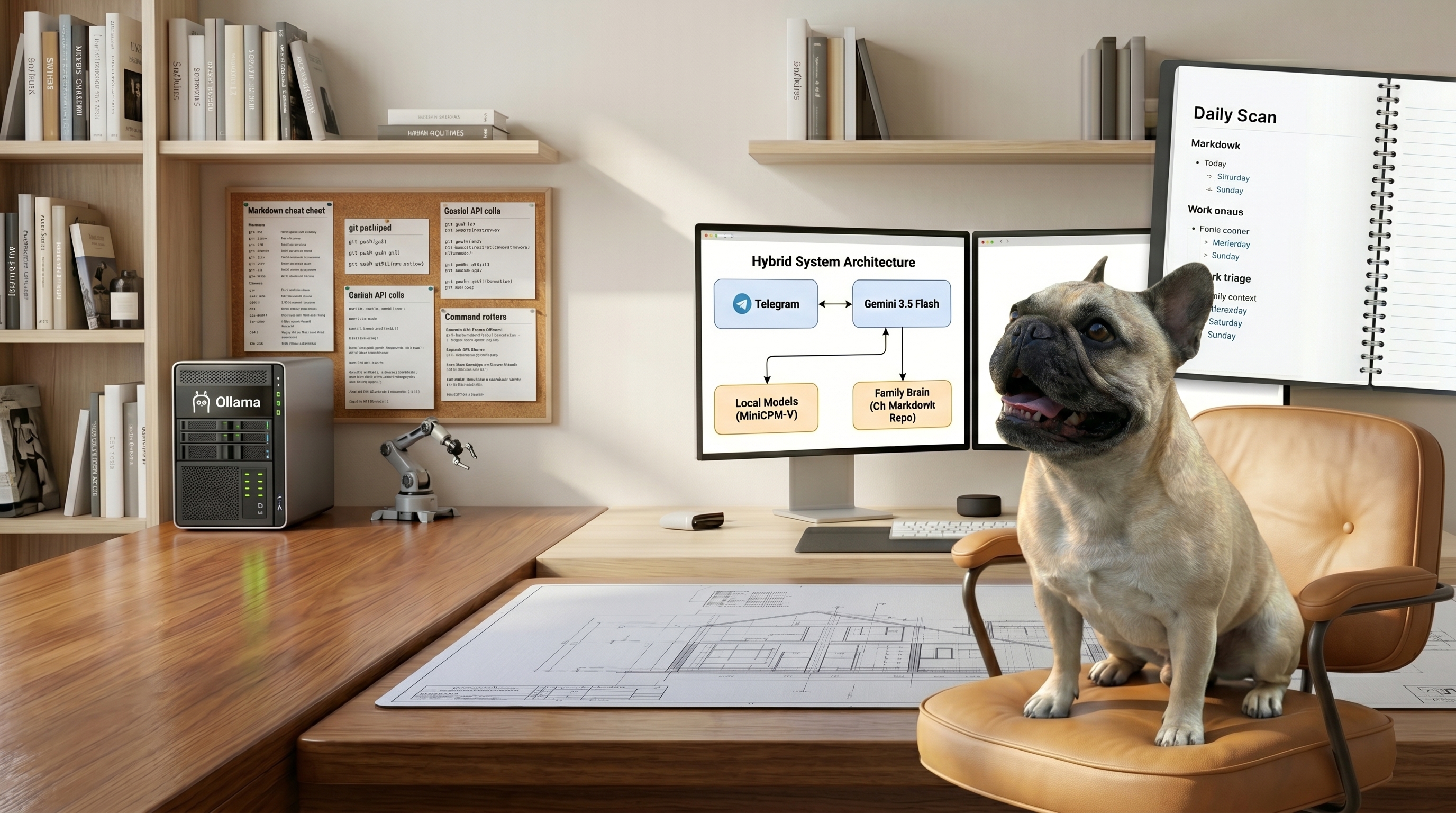
For the last few weeks I’ve been writing about Hermes as a coding agent: autonomy gates, GitHub integration, swappable engines, the works. This post is about what happened when I aimed the same framework at a completely different target: the operational overhead of running a household.
My wife and I are a two-person, dual-career, no-kids (but one spoiled French Bulldog) household, which sounds low-maintenance until you count the actual surface area. Bills. Physical mail. Vet records. Two passports on different renewal clocks. Two travel calendars that occasionally need to become one. Meal planning. The birthdays we always remember three days late. None of it is hard. All of it is a tax on attention: a hundred tiny open loops that never fully close.
I didn’t want a chatbot. I wanted a chief of staff: something that quietly absorbs the logistics and only pings a human when it actually needs one.
So I gave a single Hermes instance a Telegram number, a dedicated Google account, and a markdown notebook, and let it run. Here’s the architecture, the three decisions that made it work, and the guardrails that let me trust an agent with all of that. The guardrails took most of the time.
The shape of it
The whole system is one always-on Hermes instance on a Linux box in my office. Four things hang off it:
- Telegram as the interface: a DM each for my wife and me, plus a shared family group. No app to build; everyone already has it.
- A dedicated Google account for Gmail, Calendar, and Drive. The agent is a real user with its own inbox, not a bot bolted onto ours.
- A “family brain”: a git repository of plain markdown that is the system’s source of truth.
- Hybrid models: Gemini 3.5 Flash in the cloud for general reasoning, and a handful of local models running under Ollama on the box’s modest NVIDIA GPU for anything that should never leave the house.
The framework underneath is Hermes, which handles the agent loop, tool calls, scheduling, and the messaging gateway, so I’m writing capabilities and policy instead of plumbing. The gateway runs as a systemd service with linger enabled, which is the unglamorous detail that makes “always-on” actually mean always-on: it survives logout and reboots without me babysitting it.
That’s the whole system. What makes it work is three decisions about how the pieces fit together.
Decision 1: the brain is markdown in git
Everything the assistant knows about us lives in a git repo of markdown files. Tasks, recurring routines, a document vault, occasions, recipes, trip notebooks, a shopping list. No database, no vector store, just files.
admin/todos.md          admin/occasions.md
admin/document_vault.md  food/recipes/*.md
trips/<destination>.md   places/local.md
This sounds primitive but it works well for this scenario. Markdown in git means the state is diffable, greppable, and reversible. When the agent adds a task or files a piece of mail, that’s a commit. I can see exactly what changed and when, roll it back, or edit it by hand. A nightly job pushes the repo to GitHub, so the entire memory of the household is backed up as readable text I could open on any device.
It also means I can edit the brain directly. Want to change how often the HVAC filter gets swapped? Edit a line. The agent reads the same file on its next run. No admin UI, because the files are the admin UI.
Decision 2: route the private stuff to local models
The agent uses a cloud model for most of its reasoning. But the moment a task involves something genuinely private, it routes to a model running locally on the box’s GPU.
The clearest example is physical mail. I snap a photo of a letter, send it to Telegram, and it gets OCR’d and classified by a local vision model (MiniCPM-V) running on the box. The contents of my mail, the medical bills and government notices and account numbers, never touch a cloud API. Only the agent’s summary (“this is a utility bill, $112, due the 25th”) flows onward to do useful things.
The same local stack doubles as a fallback. I’ve registered a local Gemma 4 model as a fallback provider, so if Gemini is rate-limited or down, the agent fails over automatically and the morning routines still run, degraded but alive, instead of going dark. None of these are large models; the GPU on this machine is a humble one. They don’t need to be brilliant. They need to be local and available. Privacy and resilience fall out of the same decision.
Decision 3: capabilities are skills, reactive and proactive
Every capability is a small, self-contained “skill”: a markdown file describing how to do one job. They come in two flavors.
Reactive skills fire when we send something: forward a recipe link and it becomes a structured recipe file with nutrition; send a photo of mail and it runs the pipeline above; drop a TikTok of a restaurant and it gets matched to Google Maps and saved.
Proactive skills run on a schedule. Under the hood they’re just cron jobs that hand the agent a prompt:
weekend_radar   Thu 09:00   "what's happening this weekend + plan next week's meals"
daily_scan      07:50       "occasions, upcoming-trip prep, local concert traffic"
sunday_digest   Sun 18:00   "the week ahead: tasks, calendar, bills, weather"
A personalized morning news brief. A Thursday “what’s on this weekend” radar that also nudges meal planning before our Friday grocery run. Pre-trip research that fires three weeks before a flight, pulled straight from our TripIt feeds. The agent doesn’t need me to ask; the schedule asks for me.
The current roster (and why it keeps growing)
Because every capability is just a markdown file (a proactive one is that file plus a cron line), the list is cheap to extend. We add to it whenever a new annoyance surfaces. Here’s where it stands today.
Things it does when we send it something:
- Inbox triage: reads the shared inbox, acts on anything from us (bills, appointments, etc.), and escalates anything else worth seeing (while quietly flagging the phishing).
- Physical mail: a photo of a letter gets OCR’d, classified, filed to Drive, and logged, with a task and calendar entry if it needs one.
- Recipes: a blog or TikTok link becomes a clean recipe file with ingredients, steps, and nutrition.
- Meal planning: pick the week’s meals and the ingredients land on the shopping list, grouped by aisle.
- Saved places: a TikTok restaurant review becomes a Google Maps–matched pin and an importable map. An Instagram of a museum in Mexico City gets added to a specific Google Map for our upcoming trip.
- Document retrieval: “send me Berta’s latest vaccine record” and it finds and hands it over, no matter how many hundreds of files have piled up.
Things it does on its own schedule:
- Morning news briefs: a personalized, per-person digest, each tuned to different interests.
- Weekend radar: Thursday rundown of local events coming up that weekend, plus a seasonal meal-planning nudge before we shop.
- Sunday digest: the week ahead. Priority tasks, the combined calendar, upcoming bills and expirations, and the weather (at home, or wherever we’re headed if we’re traveling).
- Daily scan: birthdays and anniversaries, pre-trip prep, and a heads-up when a concert is about to clog the road by our house.
- Trip prep: three to four weeks before a flight, a researched briefing fills in; two days out, a packing-and-logistics nudge.
- Concert watch: new shows at the venues and in the genres we care about, deduped so it only flags what’s actually new.
- Drive janitor: keeps the document folders tidy and never deletes anything.
- Weekly self-report: the transparency summary I’ll come back to in a minute.
That’s the roster this month. None of these were grand projects; most were an afternoon. The architecture’s whole job is to make the next one boring to add. A household’s needs are a moving target, so the system has to be one too.
The part that actually took the time: trust
Getting an agent to do household tasks is a weekend of work. Getting to where you’ll let it (send email as you, write to a shared calendar, file documents unattended) without lying awake about it: that’s the real project.
The moment an agent can act on your behalf, capability stops being the interesting problem. Knowing what it did, and bounding what it can do, becomes the whole job. Five guardrails carry that weight:
It stays quiet unless addressed. In the family group chat it reads everything for context but only responds when explicitly mentioned. An assistant that chimes in on every message gets muted in a day.
Outbound communication is gated by recipient. To my wife or me, it sends freely. To anyone else, it stops and asks first. And in an unattended cron job, it’s hard-restricted to just the two of us: a scheduled task physically cannot email a stranger.
To a partner address:      send.
To anyone else:            stop, show me the draft, wait.
In a scheduled job:        partners only. Never a third party.
There’s a kill switch. /pause halts every proactive job; /resume brings them back. When we’re traveling and I don’t want the inbox-triage firing, one word stops it.
A dead-man’s switch watches the watcher. A small health check runs on an independent timer, deliberately not inside the agent, so it still works if the agent is down. Twice a day it verifies the things everything depends on (is the gateway up? is the Google token still valid? are the local models responding? did any scheduled job fail?) and messages me only if something’s wrong. The failure mode I was most afraid of was silent: the OAuth token quietly expiring and the assistant degrading for days before anyone noticed. Now it tells me within hours.
It reports what it did. Once a week it sends a plain-language summary of everything it handled autonomously: every email it sent and to whom, what it filed, what it changed. The report is built from the git history of the brain, so it can’t selectively forget. If it ever does something I didn’t expect, that report is where I’ll catch it.
Privacy and backup, briefly
Two more decisions worth stealing. First, secrets and household data are split across two backups by type: the code and config live in git with full history; the secrets (API keys, OAuth tokens) live only in an encrypted-at-rest archive that is never in a repo. They never mix. Second, the documents the agent files are shared with both of us through Drive, but the credential backups sit in a separate, private folder. Sharing “everything” is rarely what you actually mean.
What it’s like to live with
A few weeks in, the texture of it: I photograph a letter and forget about it; it’s in Drive under the right folder with a task created and a due date on the calendar. A restaurant I’ll never remember the name of is one TikTok away from being a pin on a map. The morning I have a flight, there’s a brief waiting with the weather at the destination and the things I said I’d book. When a concert gets announced at the venue that always snarls our street, I hear about it before the local traffic discussion on Facebook does.
It also gets better the longer we live with it. Every recipe we forward, every meal we actually pick, every restaurant we pin ends up in the family brain, and the agent reads those files before it suggests anything. A few weeks of recipe links was enough for it to figure out what we actually cook, so the Thursday meal-planning nudge now leans toward things we’d genuinely make instead of generic crowd-pleasers. There’s no fine-tuning or training run behind this. The preferences are just sitting there in markdown, and an agent that rereads its own notes starts to feel like one that knows you.
None of these are impressive on their own. The point is the aggregate: a hundred small open loops, quietly closing themselves.
The takeaway
If you’re building on any agent framework, the lesson generalizes past my house. The capabilities are the easy, fun part; you’ll have them working faster than you expect. The trust layer is the actual engineering, and it’s the part worth getting right: gate what the agent can do, make everything it does visible, and assume the scariest failure is the silent one.