Part 5: GitHub Issues as the Agent's Backlog
Every system in this series so far has been about what happens during a task – dispatching to a coding engine, discovering the right tools, vetting them safely. This post is about what happens between tasks: where does the work come from?
The answer, for most solo developers, is a text file. A TODO.md, a list in a notebook, a pile of sticky notes. The problem with all of these is that they’re opaque to the agent. The coordinator can plan work, dispatch it, and review it, but it can’t see the backlog. It doesn’t know what’s next, what’s blocked, what’s stale, or what’s a duplicate of something you filed three weeks ago.
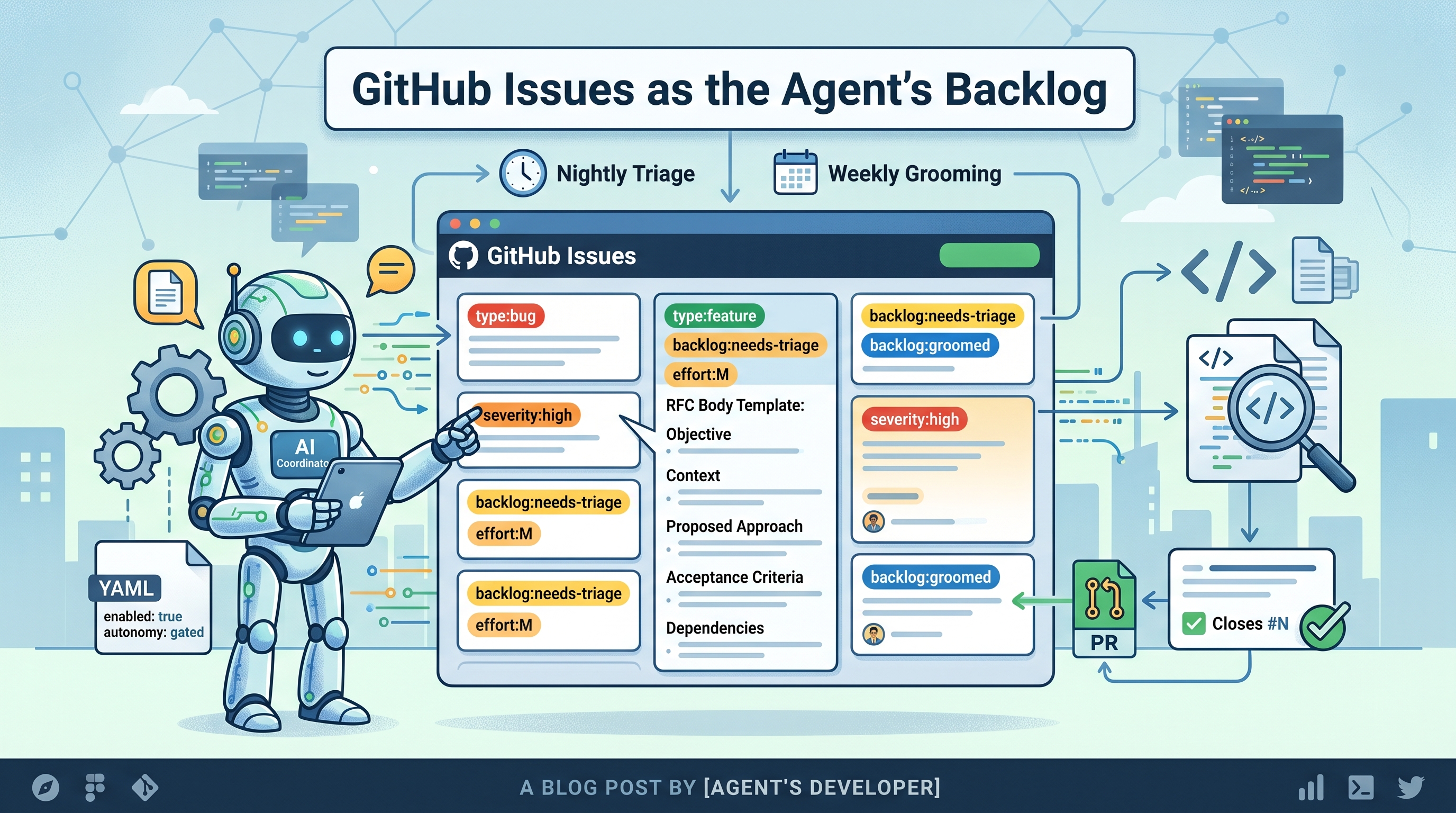
So I made GitHub Issues the backlog. Not a separate project management tool, not a local database – the same Issues tab that’s already attached to every repo. The coordinator reads from it, writes to it, triages it overnight, and grooms it weekly. The backlog lives where the code lives.
Opt-in, not default
The first rule: the coordinator never touches a repo’s issues unless that repo explicitly opts in. A .hermes-backlog.yaml file with enabled: true in the repo root is the gate. If it’s missing, every backlog operation exits immediately and does nothing. No accidental issue creation on a repo you didn’t intend to manage this way.
enabled: true
project_name: "My Project"
autonomy: gated
The autonomy field mirrors the same ladder I use everywhere else – gated, push-draft, or full. Default is gated, which means every mutation requires confirmation.
Context-rich issues from raw ideas
The thing I wanted to stop doing was filing thin issues. “Fix the auth bug” is a valid thought, but it’s not a useful issue. A useful issue has enough context that someone – or some agent – can pick it up cold and start working without asking clarifying questions.
The backlog tool takes a raw idea and turns it into a structured issue with seven metadata dimensions:
- Type: feature, bug, refactor, chore, or spike
- Severity: critical through nit
- Effort: S, M, L, XL (t-shirt sizing, same as the triage system)
- Risk: high, medium, low
- Impact: user-visible, internal-debt, dev-experience
- Confidence: how sure we are about the scope
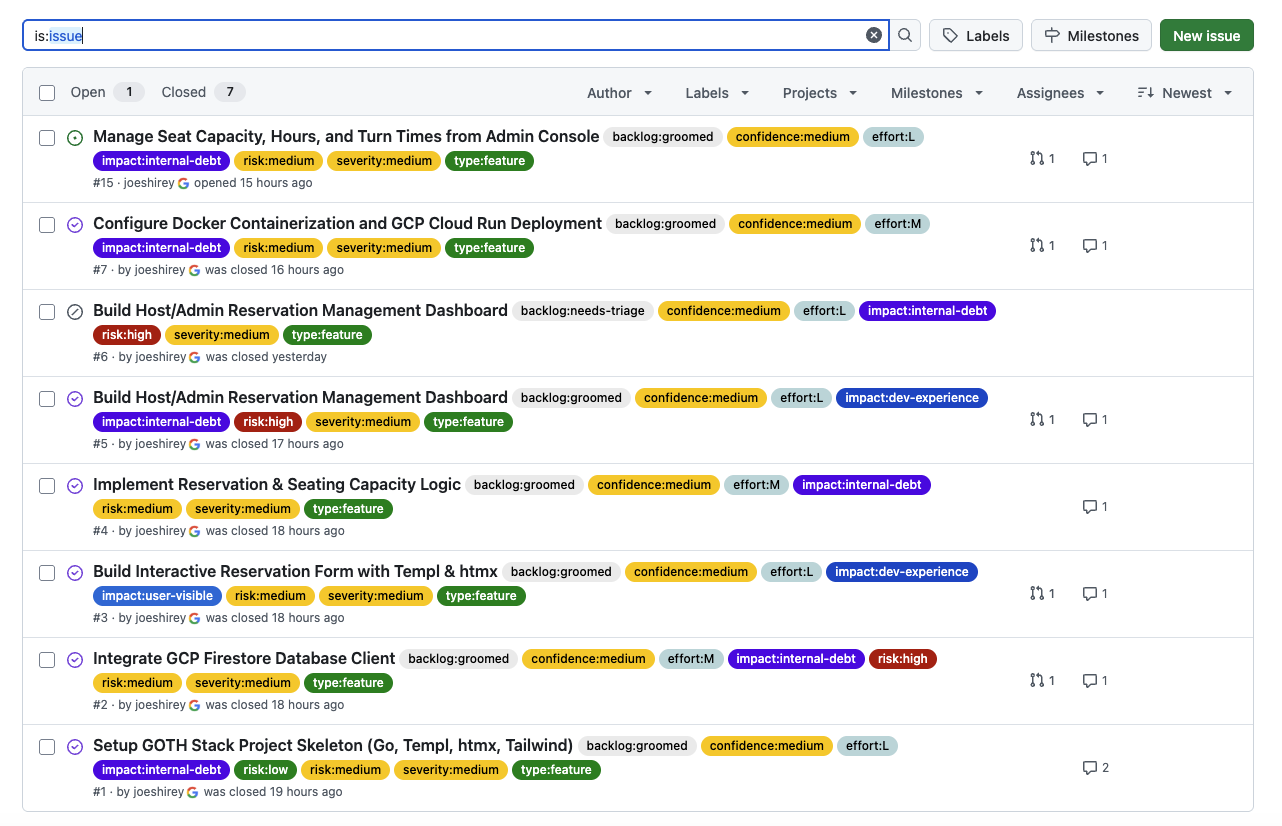
Each dimension becomes a namespaced GitHub label – type:bug, severity:high, effort:M, risk:low. The label schema is initialized once per repo with init-labels, which idempotently creates all the labels with consistent colors and descriptions.
The issue body follows an RFC-style section template: objective, context, proposed approach, acceptance criteria, and dependencies. The coordinator uses the active coding harness to research the codebase before drafting – it reads the relevant files, understands the existing patterns, and writes an issue body that references actual code paths and test files.
The result is an issue that a developer or an agent can pick up and execute. The metadata labels make it sortable and filterable. The structured body makes it actionable. The research pass makes it accurate.
Nightly triage
People file issues in a hurry. A one-line bug report, a feature request with no context, a title-only ticket from a standup. These are useful signals – someone noticed a problem or had an idea – but they’re not useful backlog items until they have structure.
The triage engine sweeps a repo’s open issues every night and finds the untriaged ones: issues that don’t have a type:* label, or that carry the backlog:needs-triage tag. For each one, it:
- Classifies the metadata – type, severity, effort, risk, impact, confidence – using the same triage heuristics that size coding tasks.
- Researches the codebase via a read-only harness dispatch – it reads relevant files, tests, and recent commits to understand the context around the issue.
- Rewrites the issue body to the structured RFC template, preserving the original human objective but filling in the proposed approach, acceptance criteria, and dependencies.
- Applies the metadata labels and adds a
backlog:groomedtag with an explanatory comment. The backlog state labels are mutually exclusive – applyingbacklog:groomedautomatically removesbacklog:needs-triage, so an issue never carries two states at once.
The run is bounded by --limit – typically 20 issues per sweep, so a nightly run stays predictable. Triage never closes or merges anything. It only adds structure to what’s already there.
In gated mode, the nightly run produces a per-issue digest of what it would do – proposed labels, rewritten body, the gh issue edit commands it would run – and writes nothing. I review it the next morning and apply with --confirm if it looks right. At higher autonomy levels, it applies directly.
Weekly grooming
Triage handles incoming issues. Grooming handles the backlog as a whole – the issues that have been sitting there for weeks or months, the duplicates nobody noticed, the large tickets that should be broken down, the dependency tangles that block progress.
The weekly grooming sweep runs four analysis passes:
Dependency bottleneck detection. Issues can reference each other as blockers. The groomer rebuilds the dependency graph from the issue metadata and flags any issue that blocks three or more others – those are the bottlenecks worth prioritizing. It also detects circular dependencies, which are worth knowing about even if they can’t be automatically resolved.
Duplicate detection. The groomer compares issue titles and objectives using lexical similarity. Pairs above a threshold get flagged, and an optional LLM pass confirms whether they’re actually duplicates or just similarly worded. Confirmed duplicates can be closed – the newer one gets closed as a duplicate of the older one, using --reason "not planned".
Decomposition proposals. Large issues (effort L or XL) get proposed breakdowns – 2 to 4 sub-issues drafted into the grooming digest. These are propose-only: the groomer never auto-creates sub-issues. It shows you the breakdown and you decide whether to act on it.
Stale issue audit. Issues idle for more than 60 days get a backlog:stale tag and a warning comment. Issues that stay stale for another 14 days past the warning become eligible for closure.
The grooming output is a single digest covering all four passes. In gated mode, the digest is the entire output – nothing changes until --confirm. At higher autonomy, the bottleneck elevations, stale warnings, and duplicate closures are applied automatically. The --no-close flag is always available as a safety valve: it lets everything run except the closes, which is useful when you want the analysis but want to handle the cleanup yourself.
What closing looks like
Grooming is the only backlog operation that can close an issue, and it’s worth being specific about the constraints:
- Only two kinds of issues can be closed: stale-past-grace (idle more than 60 + 14 days) and confirmed duplicates.
- Closes only happen behind the autonomy gate – in default
gatedmode, the groomer proposes closes in the digest but never executes them. - The
--no-closeflag suppresses every close regardless of autonomy level. - Closes use
gh issue close --reason "not planned"– never delete, never merge.
This is the narrowest carve-out I could design. The groomer needs to be able to close stale issues and duplicates to keep the backlog healthy, but it shouldn’t be able to close anything else for any other reason. The constraints are hard-coded, not configurable. You can’t widen the close policy without changing the code.
Graceful degradation
The backlog tool depends on the coding harness for two things: the research pass (reading the codebase to draft the issue body) and the metadata classification (when heuristics aren’t enough). If the harness is down – the cloud API is unreachable, the model endpoint times out – the tool degrades instead of failing:
- The research pass is skipped; the issue body uses the template with whatever context was in the raw idea.
- The metadata classification falls back to heuristic facets.
The resulting issue is less rich, but it’s still well-formed, still has metadata labels, and still has a structured body. Exit code 3 signals the degradation so the operator knows the harness was unavailable.
Closing the loop: PRs close issues
One detail that ties the backlog to the rest of the delivery pipeline: when the coordinator opens a PR for work that resolves a backlog issue, it passes --issue <N> to the PR command, which appends Closes #N to the PR body. When the PR merges, GitHub automatically closes the issue. This is how completed work gets resolved – not by grooming (which only closes stale and duplicate issues), but by the normal PR-merge lifecycle.
The coordinator knows the issue number because it picked the work up from the backlog in the first place. It carries that number through planning and execution to the PR, so the backlog reflects completed work without anyone having to manually close the issue after the merge.
The important detail: the coordinator never merges the PR itself. It opens the PR with Closes #N in the body, but the issue only actually closes when a human reviews and merges it. The user validates that the work is correct before accepting the PR – and that acceptance is what closes the issue. The agent proposes the closure; the human confirms it by merging.
What’s next
The backlog is where the coordinator most visibly touches shared state. It creates issues other people see, applies labels that affect how work gets filtered, and can close tickets that someone else filed. That makes it the place where the question of autonomy matters most.
The next post is about the autonomy ladder – the system that decides what the coordinator is allowed to do without confirmation, what requires a human in the loop, and how to adjust that boundary per project. The backlog’s gated/push-draft/full levels are one instance of a pattern that runs through the entire system.
The Hermes Agent series
- Part 1: I Built an Always-On AI Coding Agent That Plans, Codes, and Reviews Its Own Work
- Part 2: One Coordinator, Swappable Coding Engines
- Part 3: Dynamic Tool Discovery and Injection
- Part 4: Running Untrusted Tools Safely
- Part 5: GitHub Issues as the Agent’s Backlog (this post)
- Part 6: The Autonomy Ladder
- Part 7: How the Agent Learns From Its Mistakes